
DDS 2 GO
Georgia Department of Driver ServicesBusiness
3.1683.00 Reviews
- Version
- 2.2.8
- Installs
- 500.00K
- Age Rating
- Everyone
Screenshots
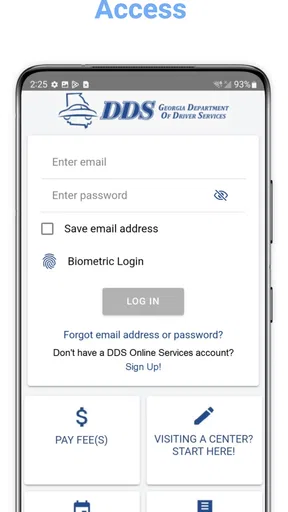
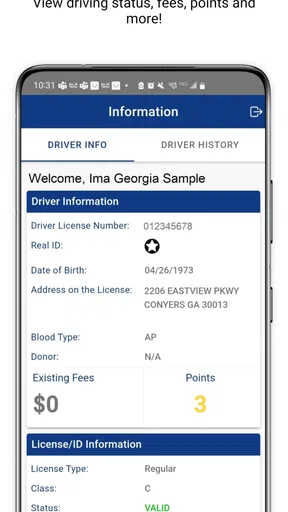
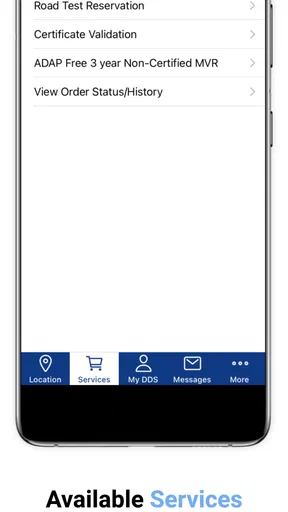
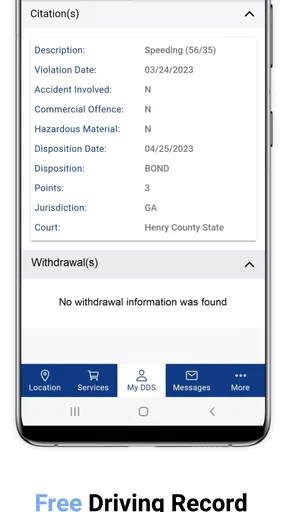
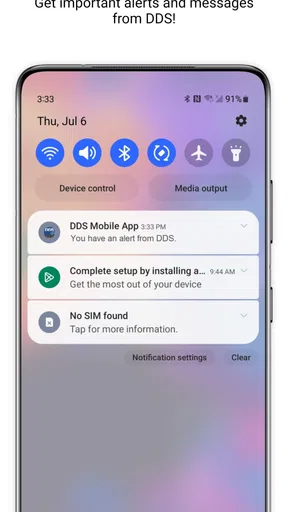
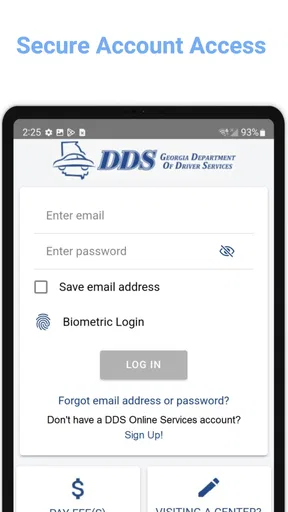
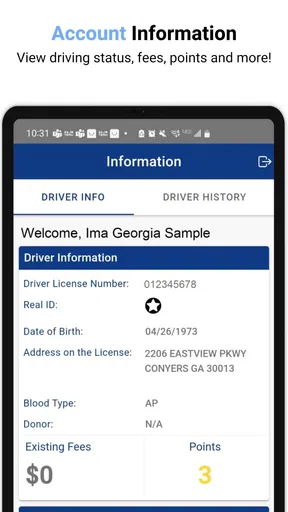
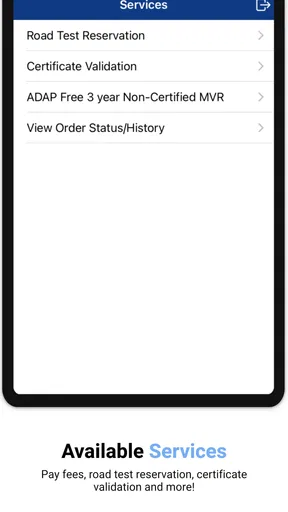
Our Review of DDS 2 GO
 Analysis by Appyee
Dealing with the Georgia Department of Driver Services can be frustrating for one simple reason: many tasks are occasional, but the information you need is time-sensitive. You may be checking a license-related detail, trying to prepare for a DDS visit, or looking for an official way to handle a driving-services question without opening a browser and sorting through unrelated results. DDS 2 GO is designed to make that process more direct on Android.
I see it as a practical government-service utility rather than an app I would open every day. Its value comes from reducing small delays: finding the right DDS information, starting from an official source, and keeping driver-service tasks in one place on a phone. It is the official Android app from the Georgia Department of Driver Services, and that official connection matters more here than visual polish or entertainment value.
The app is free, available to everyone, and belongs in the business category because it supports interactions with a public agency rather than offering a typical consumer service. It has passed the point of being a niche download, with over 500 thousand installs, although its average rating sits at 3.1 from around 1.6 thousand ratings. That combination tells me the app is useful to many people but may not feel equally smooth in every situation.
Using DDS 2 GO when a driver-service task cannot wait
I find the trust question here less about expecting a government app to handle every task and more about using the right channel when a driver-service issue matters. In this section, I look at what its official status does—and does not—mean for a cautious user, before turning to the choices and checks I would make when using it.
The recurring problem it is meant to solve
The usual alternative is to search the web whenever a DDS question comes up. That works, but it introduces several avoidable steps. Search results can mix official pages with explanations from other sites, old references, or pages aimed at a different state. Even when the correct result appears quickly, I still have to recognize it, open it, and navigate from there.
DDS 2 GO gives Georgia drivers a more focused starting point. Instead of treating the Department of Driver Services as just another search result, the app places that agency’s mobile presence on the phone. That is especially helpful for someone who does not regularly deal with licensing or vehicle-related administration and does not remember where to begin.
The time saving is not necessarily dramatic every time. A simple web search may be just as fast for a confident user. The advantage appears when I am in a hurry, using a smaller screen, or trying to avoid guessing which page is authoritative. The app narrows the path before I start, which is the kind of modest convenience that becomes valuable when a deadline or appointment is involved.
It is also useful for households with more than one driver. A parent helping a new driver, a family member assisting an older relative, or someone preparing for a move within Georgia may not want to explain the entire DDS website from memory. Having the official app available creates a shared reference point. I would still verify important details before traveling, but I would rather begin here than rely on a random search snippet.
What I would do first after installing it
My first step would be to open the app before I actually need it. That sounds obvious, but government-service tools are most annoying when they are installed during a stressful moment. I would check how the main navigation is organized, identify where the relevant driver-service information begins, and make sure the current version runs properly on my phone. The present version is 2.2.8 and requires Android 6.0 or newer, so compatibility is broad for many Android users.
I would then use a simple test workflow: look for the kind of information I expect to need, back out, and find it again without relying on memory. This reveals whether the app’s structure makes sense to me. If I were preparing for a visit, I would also write down any required details or documents in a separate note rather than assuming the app alone will remind me of everything.
That preparation is one of the more useful ways to use a public-service app. The goal is not merely to install it; the goal is to remove uncertainty before leaving home. I would open the relevant section while I still have time to check instructions, confirm that I understand the next step, and save myself from discovering a requirement at the counter.
I would also keep expectations realistic. This is not a general driving assistant, a navigation tool, or a replacement for every possible interaction with the department. It is a focused official channel. If my question concerns something outside Georgia DDS services, I would switch to the appropriate agency instead of forcing this app to become a universal solution.
Everyday situations where it earns its place
Consider a realistic morning scenario. I am helping a teenager prepare for a driver-service appointment, but I am not sure which stage of the process applies or what information should be reviewed first. Rather than searching broadly while making breakfast, I open DDS 2 GO and use it as the starting point for the official guidance. I can then make a short checklist and avoid turning the appointment into a second trip.
Another situation is less dramatic but just as common: I remember that I need to deal with a license-related matter after work, then forget the exact route to the correct DDS resource. With the app installed, I do not have to reconstruct the search from scratch. I can open the official utility, orient myself, and decide whether the task can be handled digitally or requires further action.
The app can also help when one person is doing administrative work for another. If a relative is uncomfortable navigating online government pages, I can sit beside them and use the phone as a clearer starting point. The important benefit is not that the app eliminates responsibility; it makes the first explanation easier to follow.
For new Georgia residents, an official mobile entry point may be more useful than a collection of bookmarked pages. A person who has moved from another state may not know the local terminology or which department handles a particular matter. I would use DDS 2 GO to become familiar with the Georgia-specific path, then confirm the exact requirements before committing to travel or an appointment.
Where the app removes friction, and where it does not
The clearest friction removed is source selection. I do not have to wonder whether I started with the correct department when I open an app published by the Georgia Department of Driver Services. That does not guarantee that every task will be completed inside the app, but it gives the process a trustworthy first step.
It also reduces repeated searching. A browser is flexible, but flexibility can become clutter when I only need DDS information. A dedicated app limits the context switching between search results, unrelated pages, and general explanations. For a user who handles these tasks only a few times a year, that focused design can be more valuable than a large feature set.
There is a trade-off, though. A browser remains better when I need to compare several official pages, open multiple references, or research a broader question. On a computer, I may also prefer a larger screen for reading instructions and keeping a checklist visible. DDS 2 GO is strongest as a convenient mobile doorway, not necessarily as the only tool in a complicated administrative process.
Another practical trade-off is that an app can make me feel prepared before I have actually completed anything. Finding information is not the same as satisfying a requirement. I would treat the app as a way to organize the next step, not as proof that an appointment, document, or transaction is finished. That distinction prevents the most frustrating kind of mistake: arriving confident but unprepared.
Small habits that make the experience more useful
One habit I recommend is checking the relevant material twice: once while planning and again shortly before acting. Government instructions can be easy to misremember, especially when a task is not part of my weekly routine. Using the app as a last-minute refresher helps catch details that disappeared from memory after the initial research.
A second habit is separating “information found” from “action completed.” After using DDS 2 GO, I would note what I still need to do, such as gather personal paperwork, confirm an appointment detail, or decide whether an in-person visit is necessary. This turns the app from a passive reference into part of a reliable workflow.
A third is using the app with the person who will actually attend or complete the task. When I am helping someone else, I would not simply tell them what I saw. I would show them the relevant path and let them review it too. That reduces misunderstandings and gives them a better chance of handling a follow-up question without needing me.
Finally, I would keep the app updated through the normal Android update process when updates are available. The current release is 2.2.8, and staying current is sensible for an official utility whose usefulness depends on presenting a working, maintained mobile experience. I would still keep the official web route available as a backup, particularly before an important visit.
Who should use it and who may prefer another option
DDS 2 GO is a good fit for Georgia drivers who want an official mobile starting point for Department of Driver Services matters. It is also a sensible installation for parents, caregivers, and family members who periodically help someone else prepare for a driver-service task. The free price removes the main barrier to trying it, and the Everyone content rating makes it suitable for a broad audience.
I would be more cautious about recommending it as the sole solution for users who prefer doing everything on a desktop, need to compare many pages at once, or have a complex question that crosses several government agencies. Those users may find the regular web experience more flexible. Someone outside Georgia should also look for the equivalent service from their own state rather than expecting this app to apply elsewhere.
The rating of 3.1 suggests that expectations should be measured. I would not install it expecting the refinement of a banking app or the speed of a modern shopping service. Public-service apps are judged by whether they help me reach the right information and next action. If the navigation is clear enough for that purpose, it can still be worthwhile even when the overall experience is not flawless.
My verdict after weighing convenience against limitations
I recommend DDS 2 GO to Android users in Georgia who periodically deal with driver-service responsibilities and want to start from an official source. Its strongest quality is practical: it cuts down the uncertainty of finding the correct DDS path on a phone. That can save time, reduce unnecessary searching, and make preparation less stressful.
At the same time, I would not treat it as a complete replacement for the web, careful preparation, or direct confirmation when a task is important. Its role is narrower and more useful than that. Open it early, use it to identify the next step, build your own checklist, and keep a browser or other official contact route available when the situation becomes more involved.
For me, the app succeeds when it turns a vague “I need to deal with DDS” problem into a clearer sequence: open the official tool, find the relevant information, prepare what is needed, and decide what happens next. That is not flashy, but it is exactly the kind of convenience a government utility should provide. If you live in Georgia and want a dependable first stop for DDS-related tasks on Android, this free app is worth keeping installed.
Verdict
Strengths of DDS 2 GO
- Quickly view and manage eligible dental plan benefits.
- Digital member ID is convenient at dental appointments.
- Find participating dentists using location-based search.
- Claims and coverage details are available in one place.
- Secure account access helps protect personal plan information.
Limitations of DDS 2 GO
- Features depend on your dental insurer and plan eligibility.
- Some claims or benefit updates may take time to appear.
- Provider search results can vary by location and network data.
- Account registration may require detailed member information.
- The app offers limited value for users without a DDS plan.
Similar Picks in This Category
View All
LinkedIn: Community & Network
LinkedIn3.8

Zoom Workplace
zoom.com4.1

Microsoft Teams
Microsoft Corporation4.6

Meta Business Suite
Meta Platforms, Inc.4.6

Webex Meetings
Cisco Systems, Inc.4.5

TeamViewer Remote Control
TeamViewer4.4
Frequently Asked Questions
What is DDS 2 GO, and what can I use it for?
DDS 2 GO is the official mobile app for Delta Dental of California and affiliated Delta Dental companies. After signing in, members can generally view coverage details, check claims and deductibles, find participating dentists, access a digital member ID card, review benefits, and contact customer support. Available tools may vary depending on your specific Delta Dental plan, employer, state, or affiliated organization.
Can I use DDS 2 GO if I have a Delta Dental plan from another state or provider?
Eligibility depends on the Delta Dental organization that administers your dental insurance. DDS 2 GO is designed primarily for members connected with supported Delta Dental plans, and not every Delta Dental member nationwide will have access to the same app or features. If your plan is not recognized during registration, check your member materials or contact the customer service number printed on your insurance card.
How do I sign in to DDS 2 GO, and what should I do if I forget my password?
You normally sign in with the account credentials associated with your Delta Dental member portal. New users may need to register using information such as their member ID, personal details, and date of birth, depending on the plan. If you forget your password or cannot access the account, use the recovery option in the app. Persistent login problems may require contacting Delta Dental support.
Can DDS 2 GO replace my physical dental insurance card?
The app may provide a digital member ID card that you can show at a participating dental office, which is convenient when you do not have the physical card with you. However, acceptance of a digital card can depend on the dental provider and your particular plan. It is sensible to keep your physical card available when possible, especially for a first appointment or when traveling.
Is DDS 2 GO free, and is my personal information secure?
DDS 2 GO is generally available to eligible members without a separate app purchase, although normal mobile data charges may apply. The app handles sensitive insurance and personal information, so it should be downloaded only from an official app store and kept updated. Use a strong, private password, avoid signing in on shared devices, and review the app’s current privacy policy and permissions before use.
